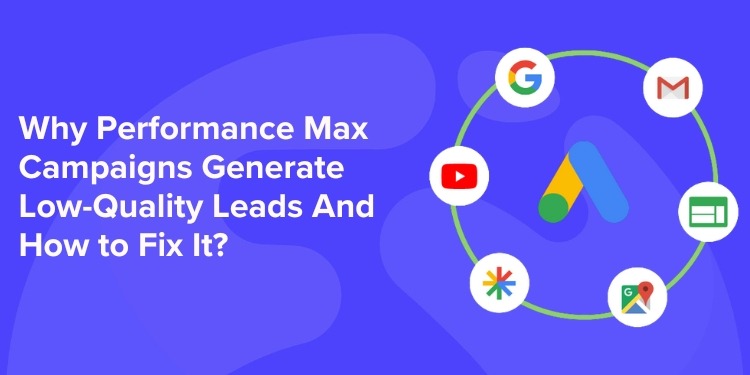

Why Performance Max Campaigns Generate Low-Quality Leads And How to Fix It?

Most advertisers don’t have a Performance Max volume problem, they have a lead quality problem.

Leads come in, but they rarely turn into real conversations. Calls go unanswered. Forms are filled with fake or incomplete details. Sales teams eventually say, “These leads are useless.”

At that point, Performance Max usually gets blamed.

But the platform isn’t broken. It’s misconfigured for lead intent. When Performance Max is allowed to optimize volume without proper signals, it prioritizes conversions, not qualified prospects.

That’s why working with the Best Digital Marketing Services in Texas can make a huge difference.

In this blog, we’ll break down why Performance Max campaigns generate low-quality leads and how to fix the issue without sacrificing scale.

How Performance Max Actually Finds Leads?

About Performance Max doesn’t think like a sales team, it follows conversion signals. 

  • Google doesn’t know which leads to turn into customers unless you teach it.
  • If all conversions are treated the same, every lead looks equal to the system.
  • The algorithm is designed to maximize conversions at the lowest cost.
  • This pushes Performance Max to find the cheapest and easiest conversion paths.
  • Low-cost conversions often come from low-intent users.
  • Weak tracking makes it easier for junk leads to qualify as “success.”


If your conversion tracking is weak, Performance Max will keep delivering low-quality leads. 


The Real Reasons Performance Max Generates Low-Quality Leads 

  1. Wrong Conversion Signals (The #1 Problem)


Problem 

  • Every form submission is counted the same 
  • No difference between sales-ready and junk leads 


Impact 

  • Google optimizes for volume, not lead quality 


Fix 

  • Track only high-intent actions as primary conversions 
  • Move low-intent actions to secondary conversions 


  1. Broad Automation Without Guardrails

Problem 

  • Ads run across YouTube, Display, and Discover by default 
  • No real control over user intent 


Impact 

  • Leads come from curiosity clicks, not buyers 


Fix 

  • Feed strong audience signals (custom segments, remarketing, CRM lists) 
  • Stop relying on “Google will figure it out” 


  1. Weak or Generic Asset Messaging

 Problem 

  • Generic headlines like “Get a Free Quote” 
  • No pricing context, no qualification, no friction 


Impact 

  • Everyone clicks, including people who will never convert. 


Fix 

  • Add qualifying language such as: 
  • Pricing ranges 
  • Location limits 
  • “For businesses with X budget” 
  • “For homeowners in Dallas only” 


  1. Poor Landing Page Intent Match

 Problem 

  • Traffic sent to generic service pages 
  • No filtering before form submission 


Impact 

  • High form volume, low close rate 


Fix 

  • Add qualification fields 
  • Pre-sell the offer 
  • Set expectations before the form 


  1. Smart Bidding Without Feedback Loops

Problem 

  • No offline conversion imports 
  • No CRM feedback 


Impact 

  • Google can’t learn which leads actually close 


Fix 

  • Import qualified leads or sales back into Google Ads 
  • Let Performance Max optimize toward revenue, not just leads 


Pro tip: Start with Search → then scale with PMax once signals are clean. 


How to Improve Lead Quality in Performance Max Campaigns (Step-by-Step) 

Step 1: Redefine What a “Good Lead” Is 

  • Separate Marketing Qualified Lead from Sales Qualified Lead.
  • Stop treating every form fill as a real lead.
  • Track only actions that show buying intent.


Step 2: Fix Conversion Hierarchy 

  • Set one primary conversion only
  • Move all low-intent actions to secondary conversions
  • Train Performance Max on quality, not volume
  • Set campaign-specific goals instead of account-wide conversions


 Step 3: Tighten Audience Signals 

  • Use first-party data (CRM, remarketing, customer lists) 
  • Build high-intent custom segments 
  • Exclude low-intent and irrelevant audiences 
  • Use search themes that reflect buyer behavior, not generic interest 


Step 4: Add Friction on Purpose 

  • Add qualification questions in forms 
  • Be clear about pricing or budget ranges 
  • Apply location or service-area filters 
  • Fewer leads with intent always beat more leads without it 


 Step 5: Feed Quality Back to Google 

  • Enable offline conversion tracking 
  • Import qualified leads or closed sales from CRM 
  • Use revenue-based bidding where possible 


Advanced Tricks Most Agencies Don’t Use 

Most Performance Max issues aren’t solved by basic setup changes. These advanced optimizations focus on controlling intent, filtering traffic, and training the algorithm to prioritize lead quality over volume.

  • Split Performance Max by lead type, not by product or service
  • Run Performance Max only for remarketing and warm audiences
  • Use Search campaigns first to train Performance Max with clean signals
  • Pause asset groups that lean heavily toward Display placements
  • Monitor placements for low-quality or MFA traffic and exclude them quickly
  • Review placement insights weekly and manually
  • Use negative keywords to block low-intent and irrelevant searches
  • Exclude brand and competitor terms to avoid inflated lead volume


When Performance Max Is Not the Right Choice 

Performance Max isn’t designed for every business or every growth stage. In some cases, automation creates more noise than results, especially when intent signals and tracking aren’t fully mature.

  • Early-stage businesses still validating demand 
  • Low-ticket services with little or no lead qualification 
  • Accounts without clean conversion tracking 
  • Businesses that require tight control over lead sources

Performance Max works best as a scale tool, not a starter campaign.


Final Takeaway 

Performance Max generates the quality of leads it’s trained to find. When conversion signals, messaging, and intent are unclear, the system favors volume over value. Tightening conversion goals, adding lead qualification, and feeding better data back into Google allows Performance Max to shift from low-quality volume to sales-ready demand. 

How AI-Driven SEO Turns Visitors into Paying Customers

For years, SEO was treated as a traffic game. Rank higher, get more clicks, and results would follow. But many businesses have learned that traffic alone doesn’t create leads or sales. When SEO focuses on broad, non-intent keywords, it attracts visitors who are researching, not buying.

That’s why choosing the Best SEO services Dallas can make a huge difference.

In this blog, we’ll break down how AI-driven SEO fixes this gap by focusing on intent, behavior, and decision-making, turning search traffic into paying customers.


 1. Why SEO Alone Doesn’t Convert Anymore 

Traditional SEO focused mainly on rankings and traffic volume. While that approach increased visibility, it often failed to generate real leads or sales. 

  • Old SEO prioritized keywords and rankings, not buyer intent.
  • High-traffic keywords brought visitors who were researching, not ready to buy.
  • Success was measured in clicks and impressions, not conversions.
  • Content was created to rank, not to guide users toward action.
  • Businesses saw traffic growth but little revenue impact.


2. What “AI-Driven SEO” Actually Means

AI-driven SEO doesn’t replace marketers or strategy. It helps teams make better decisions by understanding search behavior at a deeper level. 

  • Uses data and pattern analysis to spot trends humans may miss.
  • Identifies why users search, not just what they search.
  • Helps separate informational traffic from high-intent opportunities.
  • Supports smarter keyword selection and content planning.
  • Improves decisions around timing, messaging, and page focus.
  • Human experience still drives strategy, AI strengthens execution.


3. How Google SERP Content Reveals Search Intent

Google doesn’t show the same type of content for every search. The format of results on the SERP clearly signals what users are trying to achieve. 

  • Blog articles and guides usually indicate informational intent.
  • Comparison pages, lists, and “best” articles signal commercial intent.
  • Service pages and product pages show transactional intent.
  • Featured snippets often appear for learning-focused searches.
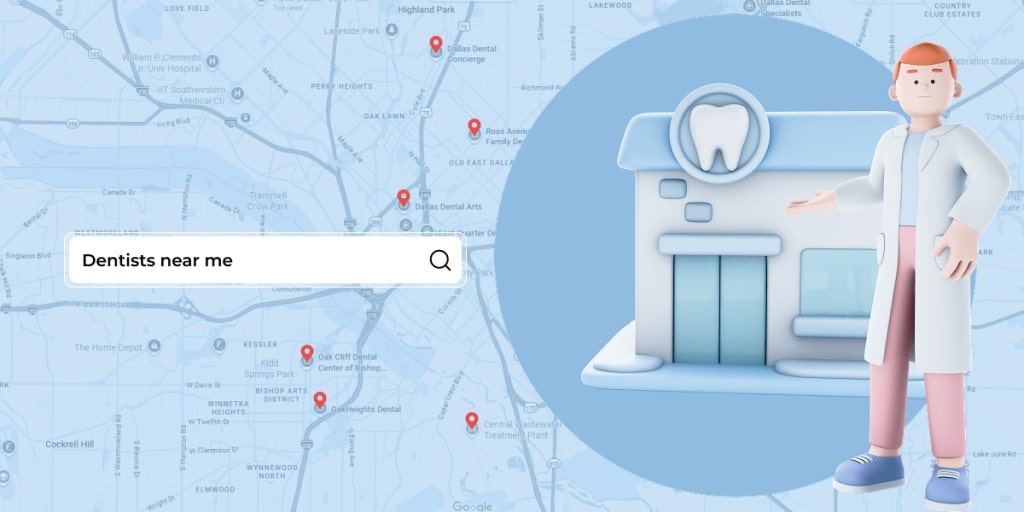
  • Local packs and map results indicate immediate action intent.
  • Videos and visuals suggest users want quick explanations.
  • Google adjusts SERP layouts based on what helps users decide faster.


4. Why Search Intent Drives Conversions?

Not every keyword brings customers. Some searches are meant for learning, while others signal buying intent. AI helps identify which searches lead to decisions by analyzing SERP behavior, patterns, and user actions. 

  • Traffic without intent creates visibility, not revenue.
  • High-intent searches indicate readiness to compare, contact, or purchase.
  • SEO converts when keywords match decision-stage behavior.

Different search intents carry very different conversion potential, which is why intent-based keyword mapping matters more than raw traffic volume.

Intent CategoryWhat the User Is Trying to DoExample SearchConversion Potential
Discovery IntentGet ideas or inspirationModern living room furniture ideasLow
Research IntentLearn options and featuresSolid wood vs engineered wood sofaMedium
Comparison IntentCompare brands or storesBest sofa brands for apartmentsVery High
Purchase IntentReady to buy or visit storeBuy wooden sofa near meVery High


5. How AI Helps Match Content to Buyer Thinking

AI-driven insights help identify what buyers want to know before they make a decision. This allows content to answer the right questions at the right stage. 

  • Identifies buyer concerns like pricing, comparisons, and trust signals.
  • Aligns content with decision-stage thinking, not just search terms.
  • Helps reduce uncertainty, making it easier for users to take action.


6. From Click to Conversion: Where Most Websites Lose Customers 

  • Mobile experience breaks first: slow load, layout shifts, hard-to-tap buttons, or annoying forms. 
  • Messaging isn’t clear in the first few seconds, so users don’t know what to do next. 
  • Page structure is messy (too much text, no visual hierarchy), which kills momentum. 
  • CTAs are weak, hidden, or repeated without explaining the value. 
  • Trust signals are missing (reviews, proof, guarantees), so users hesitate and leave.


7. Why AI SEO Still Needs Human Strategy

AI can analyze data at scale, but it doesn’t understand business priorities, market nuance, or customer behavior on its own. Human strategy is what connects AI insights to real-world SEO execution and revenue outcomes. 

  • Technical SEO decisions (site structure, Core Web Vitals, crawlability) still require human judgment to prioritize what actually impacts conversions.
  • Local SEO needs strategy beyond data, location pages, intent mapping, and proximity signals must align with how customers search locally.
  • Tracking and measurement require human setup and interpretation to connect SEO efforts with leads, calls, and revenue.
  • Optimization decisions depend on business context, not just performance data.
  • AI highlights opportunities, but humans decide what to fix, what to scale, and what to ignore.


8. What Businesses Actually Gain from AI-Driven SEO

When done correctly, AI-driven SEO delivers more than rankings. It creates measurable business impact instead of guesswork. 

  • Higher-quality leads by targeting users with real buying intent.
  • Better conversion rates through intent-matched content and pages.
  • Reduced wasted traffic from low-value, non-converting searches.
  • Clear visibility into what’s working through tracking and optimization.
  • SEO becomes a predictable growth system, not a trial-and-error channel.


9. Final Thoughts: SEO That Works Like a Sales System

AI-driven SEO works best when it’s treated as part of the sales funnel, not as a standalone tactic. The goal isn’t to bring in more visitors, but to attract the right visitors and guide them toward action. When AI insights are combined with human strategy, Curved Sphere helps SEO move beyond rankings and into a long-term revenue engine that supports real business growth.

Frequently Asked Questions (FAQs) 

What is AI-driven SEO? 

AI-driven SEO uses data analysis and machine learning to better understand search behavior, intent, and patterns. It helps identify what users are actually looking for, while human strategy decides how to turn those insights into results. 


Is AI-driven SEO better than traditional SEO? 

AI-driven SEO is more effective because it focuses on intent, behavior, and conversion potential instead of just rankings and traffic. Traditional SEO often brings visibility, but AI-driven SEO helps turn that visibility into leads and sales. 


Can AI-driven SEO work for small businesses? 

Yes. In fact, small businesses often benefit the most because AI helps prioritize high-intent keywords and local opportunities, reducing wasted traffic and focusing on searches that actually convert. 


Does AI-driven SEO replace human SEO experts? 

No. AI supports SEO by analyzing data and patterns, but human expertise is still required to set strategy, understand business goals, manage technical SEO, local SEO, and optimize for conversions. 


How long does it take to see results from AI-driven SEO? 

Results depend on competition, website quality, and execution. Many businesses start seeing better lead quality and engagement within a few months, while long-term growth builds steadily over time. 


Is AI-driven SEO only about content? 

No. It also supports technical SEO, local SEO, tracking, and ongoing optimization. Content is important, but performance depends on how all SEO elements work together. 


How do you measure success in AI-driven SEO? 

Success is measured through qualified leads, conversions, engagement, and revenue impact, not just rankings or traffic volume. 

Game-Changing Local SEO Tools You Can’t Ignore

In 2026, local SEO is no longer optional for businesses that want to attract customers in their area. With the increasing use of mobile devices and “near me” searches, appearing in local search results can directly impact revenue. Businesses that dominate local search appear in Google Maps, the Local Pack, and other location-based results, giving them a competitive edge.

However, optimizing for local SEO requires more than just creating a Google Business Profile. It involves managing accurate listings, monitoring reviews, analyzing competitors, and tracking rankings across multiple locations. Partnering with the best SEO services in Dallas or using the right tools can simplify these tasks and provide actionable insights. This guide highlights 11 essential local SEO tools that businesses should consider to improve visibility, increase customer engagement, and drive more leads.

1. Semrush Local

Semrush Local is an advanced tool for businesses and agencies managing multiple locations. It extends the traditional SEO features of Semrush with local-specific functionalities.

Benefits:

  • Centralized management of business listings across directories

  • Local rank tracking by city or ZIP code for hyper-local analysis

  • Review monitoring to protect online reputation

  • Competitor insights for strategic planning

Semrush Local is particularly valuable for franchises or multi-location businesses that need consistent visibility in local search results.

2. BrightLocal

BrightLocal is designed specifically for small and medium-sized businesses. It focuses on citations, reviews, and local rankings.

Benefits:

  • Tracks and maintains accurate business listings across directories

  • Monitors and responds to reviews efficiently

  • Generates detailed local ranking reports

  • Provides actionable analytics for local SEO optimization

Its simplicity and focused tools make it ideal for business owners without extensive SEO expertise.

3. Google Business Profile (GBP)

Google Business Profile is the cornerstone of local SEO. A well-optimized profile increases visibility in Google Maps and Local Pack searches.

Benefits:

  • Ensures your business appears in relevant local searches

  • Enables posting updates, offers, and images to engage customers

  • Provides insights on customer interactions and search performance

  • Builds trust and credibility with potential clients

Maintaining an optimized GBP profile is essential for any business looking to capture local customers.

4. Local Falcon

Local Falcon offers a unique geographic visualization of search rankings. It shows how a business ranks in specific neighborhoods within a city.

Benefits:

  • Visualizes rankings across a grid for different locations

  • Identifies areas requiring SEO improvements

  • Compares performance with competitors in each region

  • Helps plan localized marketing campaigns

Local Falcon’s heatmaps provide clear, actionable insights for location-specific SEO strategy.

5. Moz Local

Moz Local helps businesses maintain consistent and accurate information across online directories.

Benefits:

  • Synchronizes Name, Address, and Phone (NAP) information

  • Monitors reviews and reputation

  • Alerts for duplicate or incorrect listings

  • Enhances local search visibility through consistent data

Consistency across directories is critical for search engines to trust your business information.

6. Localo

Localo provides AI-driven guidance to improve local SEO performance and manage tasks efficiently.

Benefits:

  • Step-by-step action plans for local SEO optimization

  • Audits Google Business Profiles for improvement opportunities

  • Detects unauthorized or incorrect profile changes

  • Offers AI-based recommendations to boost rankings

Localo is suitable for businesses looking for automated guidance without deep SEO expertise.

7. Yext

Yext focuses on digital knowledge management, ensuring your business information is accurate and consistent across platforms.

Benefits:

  • Real-time updates across multiple directories

  • Monitors and tracks reviews and customer feedback

  • Provides performance analytics for multi-location businesses

  • Supports API integrations for large-scale management

Yext is ideal for franchises or businesses with numerous locations needing uniform visibility.

8. Search Atlas

Search Atlas integrates AI tools for analyzing local SEO performance alongside competitor insights.

Benefits:

  • Tracks rankings for hyper-local keywords

  • Provides competitor analysis in specific locations

  • Recommends AI-based content improvements

  • Generates custom dashboards for monitoring performance

Search Atlas is especially useful for businesses seeking data-driven local content strategies.

9. Local Dominator

Local Dominator combines rank tracking, citation management, and SERP monitoring in a single platform.

Benefits:

  • Measures visibility in local SERPs

  • Tracks Share of Voice in specific regions

  • Consolidates reporting for multiple locations

  • Provides insights to refine local SEO campaigns

This tool is useful for agencies and businesses managing multiple local profiles simultaneously.

10. Google Search Console & Google Analytics 4

While not strictly local SEO tools, GSC and GA4 are essential for understanding how local users interact with your website.

Benefits:

  • Tracks clicks, impressions, and local keyword performance

  • Provides geographic insights for location-specific optimization

  • Helps refine content and marketing strategies

  • Monitors website performance and user behavior

These platforms offer foundational insights to guide broader local SEO efforts.

11. PinMeTo

PinMeTo specializes in real-time synchronization of business listings across multiple platforms.

Benefits:

  • Ensures accurate business information everywhere

  • Monitors reviews and online reputation

  • Supports multi-location management efficiently

  • Provides performance analytics for directories and maps

PinMeTo helps businesses automate the management of their digital presence, saving time while maintaining consistency.

Conclusion

Local SEO requires strategic planning, consistent execution, and monitoring. These 11 tools cover every aspect of local SEO, from managing listings and monitoring reviews to tracking rankings and analyzing competitors. Businesses that leverage these tools effectively can achieve higher visibility in local search results, attract more customers, and maintain a competitive advantage in 2026.

Top Web Development Trends in 2026

Web development in 2026 is all about creating smarter, faster, and more engaging digital experiences. A website is no longer just an online presence it is a powerful business tool that builds trust, drives conversions, and improves customer experience. With technology evolving rapidly, businesses must stay updated with the latest web development trends to remain competitive.

At Curved Sphere, a Top Web Development Company in Dallas TX, we closely follow modern web technologies to help businesses build future-ready websites. Let’s explore the top web development trends in 2026 that are shaping the digital world.

1. AI-Powered Websites Are Becoming the New Standard

Artificial Intelligence is no longer optional in web development it is becoming essential. In 2026, websites are using AI to deliver personalized content, smart recommendations, and instant customer support.

AI-powered chatbots, predictive search, and automated design adjustments help users find what they need faster. These features improve engagement, reduce bounce rates, and increase conversions. AI also helps developers optimize layouts and content based on user behavior, making websites more efficient and intelligent.

This trend is especially useful for businesses that want to scale their online operations without increasing manual effort.

2. Performance-First Development for Better SEO

Website speed and performance continue to play a major role in SEO and user experience. Google now prioritizes websites that load quickly and respond smoothly to user interactions.

In 2026, developers focus heavily on performance-first development by:

  • Optimizing images and videos

  • Using lightweight frameworks

  • Reducing unnecessary scripts

  • Improving Core Web Vitals

Fast websites not only rank better on search engines but also keep users engaged longer. A slow website can easily cost you potential customers, no matter how good your content or design is.

3. Progressive Web Apps (PWAs) Are Growing Rapidly

Progressive Web Apps combine the best features of websites and mobile apps. PWAs offer fast loading, offline access, push notifications, and app-like experiences without needing to download an app from an app store.

In 2026, more businesses are choosing PWAs because they are:

  • Cost-effective

  • Easy to maintain

  • Cross-platform friendly

  • Faster than traditional apps

PWAs are especially beneficial for eCommerce, service-based businesses, and content platforms looking to improve mobile user experience.

4. Headless CMS and API-First Architecture

Traditional CMS platforms are being replaced by headless CMS solutions. A headless CMS separates content management from the frontend design, allowing developers to deliver content across multiple platforms like websites, mobile apps, and smart devices.

In 2026, API-first development offers:

  • Better flexibility

  • Faster performance

  • Improved scalability

  • Easier integrations

This approach allows businesses to update content easily while maintaining complete control over design and user experience.

5. Voice Search and Conversational Interfaces

With the increasing use of voice assistants and smart devices, voice search optimization has become an important part of web development. Websites in 2026 are being designed to support voice-based navigation and conversational interfaces.

This trend includes:

  • Voice-enabled search features

  • Conversational forms

  • AI-powered voice assistants

Optimizing content for natural language queries helps websites reach a wider audience and improve accessibility.

6. Cybersecurity and Privacy-Focused Development

As online threats continue to increase, web security best practices have become a top priority in modern web development.

Modern websites focus on:

  • Secure hosting environments

  • HTTPS and SSL certificates

  • Secure APIs

  • Compliance with privacy regulations

A secure website builds trust and credibility, which directly impacts brand reputation and customer loyalty.

7. No-Code and Low-Code Development Platforms

No-code v/s low-code development are making website faster and more accessible. These tools allow businesses to create websites, landing pages, and internal tools with minimal coding knowledge.

In 2026, these platforms help:

  • Launch MVPs quickly

  • Reduce development costs

  • Empower non-technical teams

While custom development is still important for complex projects, no-code solutions are ideal for startups and small businesses looking for speed and flexibility.

8. Immersive User Experience with 3D and Motion UI

Modern users expect visually engaging websites. In 2026, immersive design elements such as 3D visuals, micro-animations, and motion UI are widely used to enhance user interaction.

These features:

  • Improve storytelling

  • Increase engagement

  • Make websites more memorable

When used correctly, animations and 3D elements add value without affecting performance.

9. Sustainable and Eco-Friendly Web Development

Sustainability is playing an increasingly important role in modern web design. Sustainable web development focuses on reducing energy consumption through efficient coding, optimized assets, and environmentally friendly hosting solutions.

In 2026, businesses are adopting sustainable web practices to:

  • Lower their carbon footprint by using energy-efficient technologies

  • Enhance website performance while staying eco-conscious

  • Promote environmental responsibility, meeting the expectations of socially aware users

This approach not only benefits the planet but also aligns with users’ growing preference for brands that prioritize sustainability.

10. Accessibility-First Website Design

Understanding accessibility fundamentals is no longer optional it is a requirement. Websites in 2026 are designed to be usable for everyone, including people with disabilities.

Accessibility-first development includes:

  • Proper color contrast

  • Keyboard navigation

  • Screen reader compatibility

  • Clear content structure

Accessible websites improve user experience, SEO, and legal compliance.

Final Thoughts

The web development landscape in 2026 is driven by innovation, performance, security, and user experience. Businesses that adopt these trends early gain a strong competitive advantage in the digital market.

At Curved Sphere, we specialize in building modern, scalable, and future-ready websites that align with the latest web development trends. Whether you’re planning a new website or upgrading an existing one, staying updated with these trends will help you grow faster and smarter online.

AI Tools Transforming SEO in 2026

The digital marketing landscape is changing faster than ever, and SEO is at the forefront of this evolution. Businesses in Texas are increasingly relying on the best digital marketing services in Texas to stay ahead of competitors, attract qualified leads, and improve their online presence. In 2026, artificial intelligence (AI) has become a game-changer for SEO, allowing marketers to analyze data, optimize content, and make strategic decisions with unprecedented speed and accuracy.

At Curved Sphere, we understand the importance of leveraging AI tools to create smarter, faster, and more effective SEO strategies. These tools help businesses enhance visibility, drive traffic, and maintain a competitive edge in a crowded digital landscape. In this guide, we’ll explore the top AI-powered SEO tools of 2026, what they do, and why they are essential for modern digital marketing.

1. Surfer SEO – AI-Driven Content Optimization

Overview: Surfer SEO is an AI-powered tool that analyzes the top-ranking pages for any keyword and provides data-driven recommendations to improve your content.

Key Features:

  • Content structure analysis

  • Keyword density and placement suggestions

  • SERP comparison and competitive analysis

Why It Matters: Surfer SEO saves hours of manual research by showing exactly how to structure your content to match what Google prefers. For example, if you want to rank for “AI tools for SEO,” Surfer SEO will analyze the top 10 pages and recommend word count, headings, and related terms to include.

Use Case: Businesses can create blogs, landing pages, or service pages that are fully optimized without guessing what Google wants, improving ranking potential significantly.

2. Ahrefs – AI for Keyword and Backlink Insights

Overview: Ahrefs is a comprehensive SEO tool that now integrates AI to improve keyword research, backlink analysis, and competitor insights.

Key Features:

  • Keyword difficulty scoring

  • Competitor backlink tracking

  • AI-powered keyword predictions

Why It Matters: Understanding what keywords competitors rank for and identifying potential backlink opportunities allows marketers to target traffic effectively. The AI features in Ahrefs now predict which keywords are likely to perform best, saving time on trial-and-error approaches.

Use Case: A Texas-based business can analyze competitors in their industry, discover high-performing keywords, and plan content or outreach campaigns that attract the right audience.

3. ChatGPT / OpenAI – AI for Content Creation

Overview: AI language models like ChatGPT can assist in content generation, meta descriptions, FAQs, and even entire blog drafts.

Key Features:

  • Generate SEO-friendly content quickly

  • Create ideas for headings, titles, and meta tags

  • Rewriting and summarizing content

Why It Matters: Producing high-quality content consistently is challenging. With AI, businesses can maintain a steady flow of relevant, readable content optimized for search engines.

Use Case: Curved Sphere uses AI to draft initial versions of blogs or service pages, which are then refined by human writers to ensure accuracy, brand voice, and readability. This speeds up content creation without sacrificing quality.

4. Clearscope – Optimize Content for Search Intent

Overview: Clearscope helps marketers ensure their content is fully optimized for both users and search engines.

Key Features:

  • Keyword suggestions based on search intent

  • Content grading and scoring

  • Readability checks

Why It Matters: Google increasingly favors content that matches search intent. Clearscope ensures that every piece of content answers user queries comprehensively and naturally.

Use Case: For a Texas-based digital marketing agency, using Clearscope ensures that blogs and service pages rank higher and engage readers effectively.

5. SEMRush with AI Add-Ons – Predictive SEO

Overview: SEMRush has evolved with AI add-ons that provide predictive keyword analysis, competitor monitoring, and real-time site audits.

Key Features:

  • Predictive keyword trends

  • AI-powered competitor analysis

  • SEO audit automation

Why It Matters: Staying ahead of trends is crucial in digital marketing. SEMRush with AI helps identify emerging keywords and gaps in your SEO strategy before competitors do.

Use Case: Businesses in Texas can adapt to search trends faster, ensuring their content remains relevant and competitive.

6. MarketMuse – AI for Content Strategy

Overview: MarketMuse uses AI to perform deep content research, identify gaps, and suggest semantically related topics to boost authority.

Key Features:

  • Content gap analysis

  • Topic and subtopic recommendations

  • Semantic keyword optimization

Why It Matters: MarketMuse helps build authoritative content clusters that search engines love, improving domain authority and topical relevance.

Use Case: Curved Sphere leverages MarketMuse to plan blogs, service pages, and pillar content that dominates niche topics in Texas markets.

7. Frase AI – For SEO and FAQs

Overview: Frase AI use to create content briefs, optimize for featured snippets, and generate FAQ sections.

Key Features:

  • Automated content briefs

  • AI-generated FAQs

  • Optimized headings and summaries

Why It Matters: Featured snippets and structured content improve CTR and search visibility. Frase ensures your content is ready for voice search and snippet opportunities.

Use Case: Businesses targeting local searches in Texas can improve their visibility for “near me” queries and FAQ-rich snippets.

Conclusion

AI tools are no longer optional they are essential for SEO success in 2026. From content creation to keyword analysis, site audits, and competitor research, these tools enable businesses to make smarter, faster decisions.

By partnering with Curved Sphere, a leader in digital marketing, you can leverage these AI-powered SEO tools to increase visibility, attract more leads, and outperform competitors. Whether you’re a small business in Dallas, Houston, or Austin, integrating AI into your SEO strategy ensures your website remains ahead of the curve and fully optimized for search engines.

AI-Powered Digital Marketing Strategies in 2026!

In 2026, digital marketing is no longer just about social media posts and ads; it’s about leveraging artificial intelligence to create smarter, faster, and more personalized campaigns. Businesses across Texas, from startups in Austin to enterprises in Dallas and Houston, are adopting AI to connect with their audiences, predict customer behavior, and increase ROI. At Curved Sphere, we offer the best digital marketing services in Texas, helping businesses implement AI-driven strategies that deliver measurable results, enhance customer engagement, and drive sustainable growth.

What is AI in Digital Marketing?

AI in digital marketing uses machine learning, predictive analytics, and automation to optimize campaigns. It allows businesses to understand customer behavior, personalize experiences, and save time on repetitive tasks.

Key Points:

  1. Data Analysis: AI analyzes customer behavior, engagement, and trends.

  2. Automation: Automates tasks like email campaigns, reporting, and ad optimization.

  3. Personalization: Creates campaigns that speak to individual customer preferences.

Example: A Houston-based restaurant can automatically send personalized menu recommendations to frequent diners.

Step 1: Predictive Analytics

Predictive analytics allows businesses to forecast trends and customer behavior, helping them plan campaigns efficiently.

Steps:

  • Collect historical data from website, social media, and sales.

  • Use AI to predict customer behavior and preferences.

  • Adjust campaigns to focus on high-converting opportunities.

Example: A Dallas electronics store predicts which products will trend next month and creates pre-launch campaigns.

Strategy Table:

StrategyAI ApplicationExpected Result
Lead ScoringIdentify high-potential leadsHigher conversion rate
Trend ForecastingPredict customer preferencesBetter product targeting
Campaign TimingOptimize send times for ads/emailsIncreased engagement

Step 2: AI-Powered Content Creation

AI can generate blogs, social media posts, and emails quickly while keeping the content personalized.

Steps:

  • Identify content topics based on audience interest.

  • Use AI tools to draft content automatically.

  • Review and personalize before publishing.

Example: A boutique in Austin uses AI to create weekly Instagram posts tailored to different customer segments.

Strategy Table:

Content TypeAI Tool SuggestionExample Outcome
Blog PostAI Content Generator500-word SEO-optimized blog
Social MediaAI Scheduling & Caption ToolPersonalized posts for each segment
Email MarketingAI Email AutomationHigher open & click-through rates

Step 3: Chatbots and Conversational AI

AI chatbots improve customer service and qualify leads in real-time.

Steps:

  • Deploy chatbot on website or social media.

  • Program AI to answer FAQs and guide users.

  • Collect customer info for lead nurturing.

Example: A Houston e-commerce store uses a chatbot to answer product queries instantly, even at midnight.

Strategy Table:

Chatbot FeatureAI FunctionBenefit
24/7 SupportAnswer FAQs & guide purchasesImproved customer satisfaction
Lead QualificationCollect user infoFocus marketing on high-potential leads
Conversational OffersSuggest upsells or discountsIncrease average order value

Step 4: Hyper-Personalization

AI allows hyper-personalized marketing, sending content based on user behavior, location, or purchase history.

Steps:

  • Segment audience by behavior, location, or interests.

  • Use AI to send personalized offers or messages.

  • Monitor engagement and adjust campaigns.

Example: A Dallas boutique sends a discount on running shoes to users who previously bought workout gear.

Step 5: Voice and Visual Search Optimization

Optimizing for voice and visual search ensures your business appears in modern search methods.

Steps:

  • Use AI to identify keywords for voice search.

  • Optimize product images and website for visual search.

  • Test search results and adjust content accordingly.

Example: A Houston furniture store uses AI so customers can search using a picture of a chair and find similar products.

Step 6: Automated Campaign Optimization

AI continuously monitors and optimizes ad campaigns in real-time.

Steps:

  • Connect ad platforms with AI tools.

  • Let AI adjust bids, targeting, and creatives automatically.

  • Analyze performance and refine strategies.

Example: A Dallas tech startup reallocates ad budget to top-performing campaigns automatically, improving ROI by 30%.

Strategy Table:

Campaign ElementAI FunctionBenefit
Ad TargetingAdjust audience segmentsMore qualified traffic
Budget AllocationShift funds to best-performing adsMaximize ROI
Creative OptimizationTest multiple creativesIncrease engagement

Why Texas Businesses Need AI Marketing

Texas is a highly competitive market. AI allows businesses to understand local audiences, deliver personalized campaigns, optimize marketing spend, and increase engagement. Companies that adopt AI strategies stay ahead in cities like Austin, Dallas, and Houston, providing measurable results and smarter growth.

How Curved Sphere Can Help

At Curved Sphere, we help Texas businesses implement AI-powered digital marketing solutions. Our services include predictive analytics, AI content creation, chatbots, hyper-personalization, voice and visual search optimization, and automated campaign management. We design strategies tailored to your goals, helping your business grow smarter and faster.

Conclusion

AI is transforming digital marketing. In 2026, Texas businesses that embrace AI-driven strategies will gain deeper insights, deliver personalized experiences, and achieve higher ROI. Partnering with Curved Sphere ensures your brand stays ahead of trends while growing efficiently in a competitive market.

How to Win SEO Using AI-Driven Search Strategies?

Search is no longer just about keywords and backlinks. With AI-powered search engines, zero-click results, and conversational queries becoming the norm, brands that fail to adapt will struggle to stay visible. At Curved Sphere, we help businesses stay ahead by using AI-driven SEO strategies that align with how modern search engines think, learn, and rank.

This guide explains how you can win SEO by leveraging artificial intelligence the smart way.

What Are AI-Driven SEO Strategies?

AI-driven SEO strategies use artificial intelligence, machine learning, and data automation to optimize websites for search engines more efficiently and accurately. Instead of relying only on manual keyword research or outdated tactics, AI helps analyze user intent, predict trends, and personalize search experiences.

At Curved Sphere, we combine human expertise with AI insights to create scalable, future-ready SEO systems.

How AI Is Transforming Search Engines?

Search engines now prioritize:

  • Search intent over exact keywords
  • Contextual understanding of queries
  • User experience signals like engagement and satisfaction
  • AI-generated answers and summaries (zero-click searches)

This shift means SEO is no longer about ranking pages only—it’s about becoming a trusted data source for AI-driven search results.

Core AI-Driven SEO Strategies That Work

1. Intent-Based Keyword Optimization

AI tools analyze search behavior to understand why users search, not just what they search.

Curved Sphere focuses on:

  • Informational intent
  • Commercial intent
  • Transactional intent

Example:
Instead of targeting only the keyword “SEO services”, we optimize separate pages for:

  • What are AI-driven SEO strategies? (informational)
  • Best AI SEO agency (commercial)
  • Hire AI SEO experts (transactional)

This increases relevance and improves rankings across multiple funnel stages.

2. Content Optimization Using AI Insights

AI helps identify:

  • Content gaps
  • Topic clusters
  • Semantic keyword relationships

By structuring content around entities and topics instead of single keywords, Curved Sphere creates content that search engines trust and users value.

Example:
For a blog on AI-driven SEO strategies, AI tools suggest related entities like:

  • AI search optimization
  • Machine learning in SEO
  • Zero-click searches

We then build supporting sections instead of publishing isolated articles.

3. Optimizing for AI Overviews & Zero-Click Searches

Many searches now end without a website click. To win visibility:

  • Answer questions clearly
  • Use concise summaries
  • Structure content with headings and bullet points

Our AI-driven SEO strategies ensure your brand appears inside AI-generated answers, not buried below them.

Example:
For the query “What is AI-driven SEO?”, we add a 40–50 word direct answer at the top of the page, increasing chances of being picked by Google AI Overviews.

4. Voice & Conversational Search Optimization

With voice assistants and chat-based search growing rapidly, content must sound natural.

Curved Sphere optimizes for:

  • Long-tail conversational queries
  • Question-based searches
  • Natural language responses

This improves visibility across voice search and AI chat platforms.

Example:
Instead of “AI SEO benefits”, we optimize for:

  • How does AI help improve SEO rankings?
  • Is AI good for SEO?

This aligns with how users speak to voice assistants.

5. Predictive SEO Using Machine Learning

AI can forecast:

  • Keyword trends
  • Traffic shifts
  • Ranking volatility

By using predictive analytics, Curved Sphere helps brands act before rankings drop, not after.

Example:
AI detects declining impressions for a keyword cluster. We refresh content and improve internal linking before traffic drops, protecting rankings.

6. UX & Behavioral Signal Optimization

AI-powered search engines track:

  • Click-through rate (CTR)
  • Dwell time
  • Bounce rate

Our SEO strategies improve site speed, layout, and content flow to maximize positive user signals that directly impact rankings.

Example:
We use AI heatmaps to see where users drop off, then adjust content placement and CTAs resulting in higher engagement and improved rankings.

Why Curved Sphere’s AI-Driven SEO Approach Works?

What sets Curved Sphere apart:

  • Human strategy + AI precision
  • Data-backed decisions
  • Future-proof SEO frameworks
  • Transparent performance tracking

We don’t chase algorithms—we align with them.

Final Thoughts

Winning SEO today means understanding how AI thinks, processes, and delivers search results. Brands that embrace AI-driven SEO strategies gain long-term visibility, authority, and sustainable growth.

At Curved Sphere, we help businesses dominate search by combining cutting-edge AI tools with proven SEO expertise.

If you’re ready to future-proof your SEO, now is the time to act.

Local eCommerce SEO 2.0: The Playbook for Ranking in Maps, Product Surfaces, and ‘Near Me’ Shopping

Online shopping keeps evolving, but one thing hasn’t changed – people still want to buy close to home. 

When a customer searches “skincare near me” or “running shoes in my city,” Google now blends eCommerce stores, map listings, and nearby pickup options on the same results page. 

Even if you don’t run a storefront, you can appear beside local retailers by aligning your SEO with local intent. 

That’s the heart of Local eCommerce SEO 2.0, a strategy that connects your online catalog with your customers’ neighborhoods. 

In this article, we’ll explore what Local eCommerce SEO means, why it matters, and actionable steps to help your store rank in Maps, Product results, and “Near Me” searches. 

What Local eCommerce SEO 2.0 Really Means 

Traditional SEO focused on keywords and backlinks. Local eCommerce SEO 2.0 adds a new layer, it connects your websiteGoogle Business ProfileMerchant Center, and structured data so Google understands both what you sell and where you sell it. 

This “2.0” approach combines proximity, product data, and user intent into one strategy. It’s how a Houston-based skincare brand can rank next to brick-and-mortar spas for “buy organic lotion near me.” 

Learn more about the foundation of this shift in Moz’s Local Search Ranking Factors. 

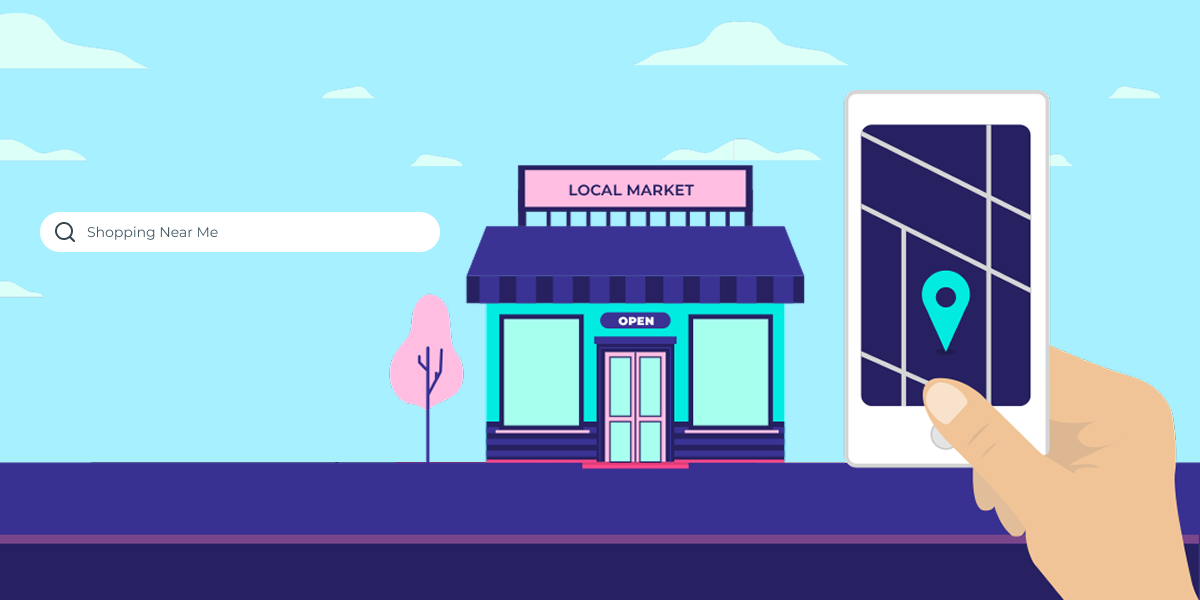
What Is ‘Near Me’ Shopping and Why It’s Changing eCommerce SEO 

How ‘Near Me’ Searches Work 

When people search “near me,” Google interprets it as local intent. The algorithm checks three things, relevancedistance, and prominence, to decide which stores appear in Maps and organic results.  

The surprise is that Google doesn’t only list storefronts anymore. If your online store has a verified profile, clear service areas, and delivery or pickup options, you can still appear in those local packs. 

The Rise of ‘Near Me’ Shopping in the U.S. 

U.S. shoppers love convenience but still value local trust. Searches like ‘gift baskets near me’ or ‘pet toys near me’ are growing year over year. Many of those searches end on an eCommerce site that can deliver within the same state or city. 

Why Online Brands Need Local Signals 

Customers expect local clarity, shipping times, real reviews from nearby buyers, and easy pickup or returns. According to Statista’s online shopping research , most U.S. shoppers value convenience and transparency when buying online.  

If your site communicates those details clearly, your click-through rates rise because people trust local information they can relate to. 

That’s the power behind “near me” visibility, people don’t just want fast, they want close. 

Understanding Google’s Product Surfaces – Where Your Store Can Appear: 

Understanding Google’s Product Surfaces - Where Your Store Can Appear: 

Google’s product surfaces are all the free spaces where your items can appear including Search, the Shopping tab, Maps, Images, and even YouTube. 

If you connect your product catalog through Google Merchant Center, you can use a feature called “Surfaces Across Google” to show your products across those platforms without paying for ads. 

It’s completely free to set up and helps small eCommerce businesses reach more potential buyers while they’re already searching or browsing on Google. 

A Simple Example of Local eCommerce SEO at Work 

A Local candle shop uploads its product feed, connects its Google Business Profile, and activates Surfaces Across Google. Now, when someone searches “soy candles near me,” that product can appear: 

  • In the Shopping tab 
  • On Maps, marked Available for pickup 
  • In organic product snippets on Search 

That’s exposure across three Google surfaces, without paying for ads. 

Step-by-Step Playbook for Local eCommerce SEO Success 


1. OptimizeYour Google Business Profile (GBP):

OptimizeYour Google Business Profile (GBP):


Start by claiming your listing through Google Business Profile. 

Choose “Online Retailer” or “Ecommerce Store” as your category, define your delivery or pickup areas, and upload high-quality product images. 

Use the Q&A and Posts sections to answer common questions and share promotions that link directly back to your website. 

This profile helps Google understand your brand as a real, trusted business rather than just another online store.

Complete listings often appear higher in Map results and get more clicks from local shoppers who are ready to buy. 

Pro Tip: Keep your NAP (Name, Address, Phone) information consistent across your website, Merchant Center, and listings, even small mismatches can hurt your local ranking.  

2. Connect Google Merchant Center and Enable Free Listings

  • Verify your site in Merchant Center and upload a clean feed with titles, pricing, and availability. 

 3. Build Localized Product and Category Pages

  • Create regional pages that speak to shoppers directly – “Buy Eco Candles Near You” or “Custom T-Shirts with Fast Delivery.” 
  • Add local reviews, real delivery details, and embedded maps showing your coverage area. 

 4. Use Local Schema and Product Markup Together

  • Implement structured data for LocalBusiness, Product, and Offer. 
  • It helps Google link your listings to a real seller with verifiable stock and ratings. 

5. Earn Local Backlinks and Mentions

Pitch your story to local news outlets, bloggers, and community directories. 

A single feature on a respected local site can help your store appear higher in search results than dozens of low-quality directory links. 

Look for collaborations with local influencers, sponsor a small event, or list your business on nearby chamber websites, anything that earns genuine mentions from within your community. 

Those local signals show Google that you’re a real business serving real customers, not just another online shop.  

6. Collect and Showcase Local Reviews  

  • Ask happy customers for reviews mentioning their city or region. 
  • Show those testimonials on your site and respond publicly, it builds trust and improves ranking signals. 

 7. Optimizefor Mobile and Voice Search: 

Mobile and voice go hand in hand when it comes to local shopping. Most “near me” searches now happen on smartphones, often through voice assistants like Google Assistant or Siri. 

That means your website needs to load fast, display cleanly on mobile, and answer natural, conversational questions people actually ask. 

Use phrases such as “Where can I buy [product] near me?” or “Best [product] store open now.” 

These long-tail, voice-style queries help your site match the way real people search instead of how marketers write. 

You can check your site’s performance using Google Lighthouse  

8. Track and Measure Your Performance

  • Set up GA4 for eCommerce and tag key actions—add-to-cart, checkout, and pickup selections. 
  • Pull data into Looker Studio dashboards so you can see how much traffic comes from each U.S. city. 

Bonus: Advanced Local SEO Moves for Competitive Markets 

 1. ZIP-Code Delivery Pages

If your store delivers within certain ZIP codes, create location-specific landing pages like “Shop Gifts in 75001” or “Order Pet Supplies in 90210.” 

Include details such as delivery timeframes, cut-off hours, and local pickup options to give search engines and customers a clear signal of where you operate.  

You can also use ZIP-level keywords in meta titles, product descriptions, and FAQs, this helps your pages rank for ultra-local queries that competitors often ignore. 

It’s a powerful tactic for eCommerce brands that want to dominate regional search results and drive nearby traffic that’s ready to convert. 

2. Local Inventory Ads

2. Local Inventory Ads 


Local Inventory Ads help bridge organic and paid visibility by showing shoppers that your products are “In stock nearby” or “Pickup today”. 

When someone searches “buy sneakers near me” or “laptops available today,” these ads highlight your store’s real-time inventory and pickup options. 

They’re ideal for U.S. retailers who want to reach local customers ready to buy now, without running broad national campaigns. 

You can set them up through Google Merchant Center by syncing your store’s inventory and delivery details. 

3. Hyperlocal CRO

  • Add dynamic banners like “Order now—pickup in Dallas today by 6 PM.”  
  • Use Hotjar to watch how visitors behave across locations.  

Common Local SEO Mistakes to Avoid 

  • Listing a virtual or P.O. Box address (Google Guidelines). 
  • Copy-pasting the same content across city pages. 
  • Neglecting feed freshness in Merchant Center. 
  • Paying for fake reviews. 
  • Not connecting your Google Business Profile, Merchant Center, and Analytics,  which keeps data and insights from syncing properly. 

Avoid these, and your ranking stability will skyrocket 

 FAQs About Local eCommerce SEO in U.S. 

Q: Can an online-only store show up in Google Maps? 
Yes, set your profile as a service-area business and link your product feed. (Google Support) 

Q: Do I need a physical address to appear for “near me” results? 
No, but you must define clear delivery or pickup zones in your GBP and Merchant Center. 

Q: What’s the difference between Local and Traditional SEO? 
Traditional SEO drives national reach, Local SEO focuses on proximity, reviews, and Google Maps visibility.  

Q: How long until I see results? 
Typically 2–3 months once your product feed, GBP, and citations are consistent. 

How AI Is Changing WordPress Development in 2025: Tools, Trends, and What It Means for Businesses

The New Era of WordPress Development 

Artificial Intelligence has moved beyond the buzz. In 2025, it’s no longer a passing trend, it’s a core part of how modern websites are designed, developed, and optimized. 

Across the WordPress ecosystem, more than 800+ AI-powered plugins are changing the way developers, designers, and business owners build online experiences.  

These tools can now write code, suggest layouts, generate images, automate customer chats, and even improve site performance. 

800+ AI-powered plugins

It isn’t just competing with traditional WordPress but reimagining it. The Websites have been designed, SEO optimized, content created, and secured, all with the help of AI, which aided in eliminating errors and polishing the skills of practitioners in their respective tasks.  

Thus, businesses with the knowledge of adapting to these tools are creating digital experiences faster, smarter, and more engaging. 

In this blog, we’ll explore how AI is redefining WordPress development in 2025, the most innovative tools leading the way, and what these trends mean for businesses looking to stay ahead. 

How AI Is Transforming the Development Workflow 

A few years ago, web development progress depended on manual coding and long testing cycles. But now the situation has completely changed, AI can handle complex coding in minutes and even run advanced automated testing. 

These days, machine learning does more than crunch data, it can actually write bits of code, suggest clean design layouts, and even catch bugs before a developer notices them. That means projects move faster, with fewer mistakes and smoother delivery every time. 

CodeWP and GitHub Copilot have made life a whole lot easier for developers. They can build custom blocks, shortcodes, and plugins in a fraction of the time it used to take. These platforms learn your workflow, pick up on project context, and suggest code that actually fits what you’re trying to do. 

A few years back, testing and trial-and-error could eat up half the day. Now, that same process takes just a few minutes, and the quality’s still right where it needs to be. 

 The Rise of AI-Powered Design Tools 

Great web design has always mixed creativity and skill, now AI’s stepped in to make that process a little smarter and a lot faster.  Tools like Elementor AI and Divi AI let designers whip up layout ideas, test responsive versions, and even polish on-page copy, right inside the editor.  

True creativity can’t be replaced, AI just adds to it. You’re still the one shaping the brand’s look and feel. AI simply helps you get there faster and cleaner. For small teams juggling several client sites at once, that kind of support feels like magic. 

According to the 2024 Stack Overflow Developer Survey, around 70% of developers now use or plan to use AI tools in their daily workflow. Most say it helps them work faster and focus on the creative parts of building. The same report found that 83% see productivity as the biggest benefit, while three out of four developers trust AI for writing or debugging code. 

The Rise of AI-Powered Design Tools Survey

Smarter Content and SEO Optimization 

AI isn’t just changing how websites are built. It’s changing how they work every single day. 

Tools like Rank Math AI and Yoast SEO’s AI Assistant handle most of the small stuff now. They find keyword ideas, write meta descriptions, and even add structured data on their own. 

That means your team can focus on what really counts, creating content people actually enjoy reading. The backend stays clean. Your site performs better. Publishing feels faster and smoother. And through it all, your brand still sounds real and authentic. 

A Stronger Focus on Security and Maintenance 

A Stronger Focus on Security and Maintenance

Security is still one of the biggest concerns for WordPress site owners. 

Tools like Wordfence have become essential for keeping websites safe. They monitor vulnerabilities, block suspicious logins, and send alerts before small issues turn into big problems. 

AI tools now add another layer of protection. They keep an eye on your site around the clock, spot weak plugins, and predict threats before they cause damage. That means fewer late-night fixes, less downtime, and more peace of mind for you and your clients. 

AI also helps with the daily maintenance work. It compresses images, cleans up databases, and updates plugins automatically. Your site stays fast, secure, and reliable—even when no one’s watching. 

If you’re short on time, here’s a quick look at our top picks to help you choose the right WordPress security plugin. 

Real-World Use Cases Making an Impact 

 The power of AI shows up most clearly in practical use. 

 Faster prototyping: Developers can generate layouts or page structures instantly and test user flow early. 

 Smarter chatbots: Many businesses now use AI-driven chatbots on WordPress to provide 24/7 customer support. 

 Predictive analytics: E-commerce sites use AI tools to suggest products or analyze sales trends automatically. 

 Performance tracking: AI scripts monitor speed, uptime, and SEO performance without constant manual checks. 

 These examples prove that AI isn’t just futuristic, it’s already improving results for real businesses. 

 The Limits and Responsibilities of Using AI 

AI is powerful, but it’s not the fix for every problem. Rely on it too much, and your designs start looking the same. Content can lose its edge too. 

When data gets messy, AI can miss context or spit out the wrong stuff. 

That’s why people still matter. Developers should double-check the code. 

Writers need to read what AI creates and make sure it sounds right. And every tool should respect privacy and security rules. 

AI works best when it helps people, not when it replaces them. 

What’s Next for AI and WordPress 

The future of WordPress is moving toward deeper AI integration. Core updates are expected to include features like predictive layout suggestions, built-in AI content tools, and smarter accessibility adjustments. 

We’re also seeing more headless WordPress setups powered by AI APIs, offering better scalability for apps and enterprise projects. Voice search, visual builders, and AI-driven personalization are all on track to become everyday features rather than experimental tools. 

In the next few years, the line between a developer and a strategist will start to fade. 

Building a website won’t be the only goal anymore. 

The real win will be creating smart, flexible digital experiences that learn and adapt to how people use them. 

Final Thoughts 

AI isn’t just a tech term anymore. It’s a real part of how WordPress sites get built today. 

It helps finish projects faster. It gives new ideas for design. It keeps sites safe and helps them rank better online. 

The best thing? It frees developers to plan, create, and think big instead of repeating the same work. 

At Curved Sphere, we use AI to make every site smarter and quicker. But we always keep the human touch that makes good design feel genuine. 

Give our team a call today. Let’s build something that’s smart, simple, and ready to grow with you. 

Why Most Dallas Roofing Contractors Don’t Get Leads from Their Website and How to Fix It

Introduction

If you’re a roofing contractor in Dallas, you probably know the frustration: your website is live, you’re paying for hosting, maybe even posting on social media, but the phone just doesn’t ring. No calls. No form fills. No steady flow of new roofing jobs. 


The truth is, most Dallas roofing websites look fine on the surface but are missing the critical pieces that actually turn visitors into leads.  


According to HubSpot’s marketing statistics homeowners respond best when contractors mix strategies, paid ads, organic SEO, and local service ads, instead of leaning on just one.  


Add in real reviews, a referral system, email follow-ups, and a steady presence in Facebook and local social groups, and suddenly your name keeps showing up everywhere your customers hang out. That’s the difference between a website that sits idle and one that keeps your crews busy week after week. 


Let’s break down why this happens and what you can do to fix it. 


1. What Are Roofing Leads (and Why They Matter)?

Roofing leads are homeowners or businesses actively looking for roofing services, whether that’s a roof inspection, repair after a storm, or a full replacement. Leads come in through phone calls, contact forms, or online booking requests. 

Without consistent roofing leads, your business becomes unpredictable. The goal of your website isn’t just to exist online. It should be working like a 24/7 salesperson, capturing leads every single day. 


2. Why Most Dallas Roofing Contractors Don’t Get Calls from Their Website

Most Dallas roofing websites look professional, but they quietly miss the mark. Below are the biggest reasons why contractors lose calls and leads online.


1. Local SEO & Google Business Profile: Why Dallas Roofers Lose Leads

If your Google Business Profile isn’t claimed or optimized, you’re invisible on Google Maps where most Dallas homeowners search for roofers. If your local SEO is weak, those leads don’t disappear,  they go straight to competitors with a fully optimized Google listing. 


2. Poor Mobile Experience Drives Away Potential Leads

Most roofing searches in Dallas happen on smartphones, often after storm damage. If your site loads slowly, has tiny text, or no click-to-call button, visitors bounce and call the roofer who makes it easy. 


3. Lack of Social Proof and Trust Signals

Homeowners want proof before they let you on their roof. If your site doesn’t show Google reviews, testimonials, before-and-after photos, or certifications, you’re missing trust factors that close the deal. 


4. Missing or Weak Call-to-Action Strategy

Many roofing sites hide the phone number, use generic forms, or don’t have clear CTAs like Call Now for a Free Roof Inspection. Without direct, visible calls-to-action, even interested visitors won’t take the next step. 


5. Ineffective Content Strategy

Google rewards content that answers real homeowner questions: “roof repair Dallas,” “storm damage roof replacement,” “roof inspection near me.” Without location-based service pages and blogs, your site won’t rank and won’t pull in traffic.  


3. How Dallas Roofing Contractors Can Fix the Problem

The good news is these issues aren’t permanent. With a few focused fixes, Dallas roofing contractors can turn their websites into steady lead generators.


1. Local SEO Fix: Optimizing Your Google Business Profile for Dallas Roofing Leads

  • Claim your profile, add photos, verify location. 
  • Use categories like “Roofing Contractor” and add Dallas-specific service areas. 
  • Post updates and ask customers for reviews. 

2. Use Paid Ads + Local SEO: How Dallas Roofing Contractors Can Win More Calls

  • Google Ads and Google Guaranteed can put you in front of homeowners instantly. 
  • These ads show trust badges and give you a competitive edge while your SEO builds. 

3. Build Trust Through Reviews & Referrals

  • Google Reviews: Critical for ranking in the map pack and building instant trust. 
  • Facebook & Yelp Reviews: Homeowners check these too, and strong ratings here boost credibility. 
  • Community Feedback: Local forums and neighborhood groups often influence decisions just as much as Google. 
  • Referrals: Word-of-mouth is still king. When past clients recommend their friends or neighbors, it carries more weight than any marketing. 
  • Incentives: Encourage referrals by offering small rewards, discounts, gift cards, or service upgrades to keep leads flowing without extra ad spend. 

4. Build Trust with Free Roof Inspections or Estimates

  • A free inspection removes hesitation and creates an easy “yes” for homeowners. 
  • Place this offer front and center on your homepage with a big call button. 

5. Layer Multiple Lead-Gen Tactics

The most successful Dallas roofers don’t rely on one strategy. They combine: 

  • SEO blogs to rank long-term. 
  • Reviews for credibility. 
  • Paid ads for immediate calls. 
  • Referrals for community growth. 

When stacked together, these create a multiplier effect that keeps leads flowing year-round. 


4. Bonus Lead Sources for Dallas Roofing Contractors

Your website should drive most of your calls, but it shouldn’t be the only source, these seven bonus channels can bring Dallas contractors more leads and steady growth.

  • Email Follow-Up Campaigns: Don’t let past customers forget about you. A simple follow-up system with seasonal tips or maintenance reminders keeps your name top of mind and often sparks repeat work. 
  • Local Community Groups (Facebook, Nextdoor): Homeowners in Dallas constantly ask for roofer recommendations in these groups. If you stay active here, it builds visibility and trust in a very local way. 
  • Partnerships with Real Estate Agents: Every home sale is a chance for a roof inspection. Teaming up with local agents or brokers creates a steady stream of inspection and repair leads. 
  • Lead Platforms (Angi, EverConnect, MarketSharp): While they shouldn’t be your only source, these platforms can fill gaps in your pipeline during slower months. 
  • Trade Shows & Local Events: Nothing beats face-to-face credibility. Attending home shows, expos, and neighborhood events builds authority and often lands high-value clients. 
  • Interactive Tools (Instant Estimates, Live Chat): Homeowners want fast answers. Adding a cost calculator, instant estimate form, or live chat sets you apart and captures leads before they call someone else. 


Conclusion

If your roofing website isn’t getting calls, it’s not because homeowners don’t need roofers. It’s because your site isn’t set up to convert. Most Dallas roofing contractors lose jobs to competitors who have mobile-friendly sites, strong local SEO, trust signals, and clear calls-to-action. 

At Curved Sphere, we specialize in turning roofing websites into 24/7 lead machines. From SEO to paid ads to website design, we help Dallas roofers get found, get trusted, and get calls. 


Frequently Asked Questions for Dallas Roofing Contractors

Q1: Why isn’t my roofing website bringing in calls or leads?

Most roofing sites in Dallas look fine at first glance, but they’re missing the pieces that make a homeowner take action. If your site loads slow on mobile, hides the phone number, or doesn’t highlight reviews, people leave and call the next roofer. The problem isn’t traffic, it’s conversion. 


Q2: How important is local SEO for roofers in Dallas?

Local SEO is critical. When someone searches “roof repair near me” or “Dallas roofer”, Google shows the top three companies in the map pack. If your Google Business Profile isn’t optimized with reviews, photos, and service areas, you won’t even show up. That means the calls go to your competitors instead of you. 


Q3: Should I invest in SEO or paid ads to get roofing leads?

You should think like this, paid ads bring you quick calls, SEO builds your long-term pipeline. A smart roofer does both to get lead. Run Google Search Ads and Local Services Ads to get immediate leads, and at the same time, build out SEO so you’re not paying for every click forever. The mix is what keeps the phone ringing year-round. 


Q4: Do reviews really make that big of a difference?

Yes. Homeowners don’t just look at your website, they look for proof. Google reviews, Facebook reviews, Yelp, even local forums all matter. A roofer with 50+ 5-star reviews will get picked over one with just a couple. Reviews are digital word-of-mouth, and they can win or lose you a job in seconds. 


Q5: What’s the fastest way to start getting more roofing leads in Dallas?

Start simple. Make sure your Google Business Profile is claimed and updated, add “Call Now” buttons across your website, and ask every happy customer for a review. Then, add paid ads and a simple referral program. Even something as straightforward as offering a free roof inspection can get homeowners to pick up the phone right away.